 User-Guide · Jul 3rd 2026 · 7 Min read
How to IRS Refund Tracking in 2026?
Your client calls Friday afternoon: ‘I filed six weeks ago and still no refund.’ Before you tell them to call the IRS and sit on hold, know that the IRS gives you three self-service tools to get a real status in under two minutes — no phone queue required.
This guide walks through exactly how to use those tools, what data you need, what the status stages mean, and when a tracker result actually warrants escalating to a live agent.
What You Need Before You Start
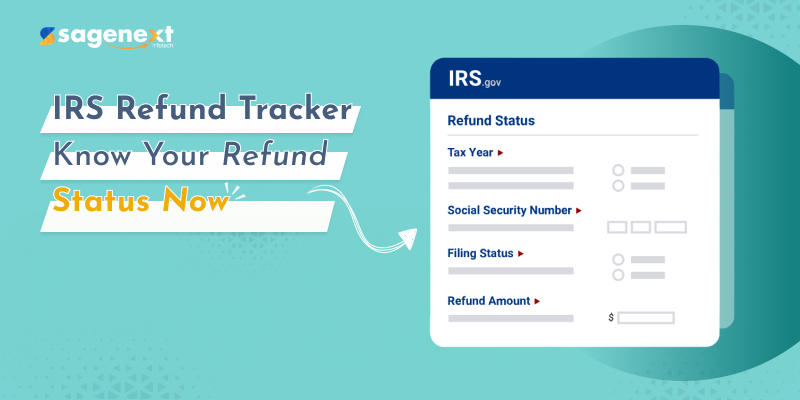
Every IRS refund lookup requires the same four pieces of information:
- Social Security Number (SSN) or Individual Taxpayer Identification Number (ITIN)
- Filing status — Single, Married Filing Jointly, Married Filing Separately, Head of Household, or Qualifying Surviving Spouse
- Tax year of the return you are checking
- Exact refund amount as shown on the return (Form 1040, line 35a)
The refund amount match is strict. If your client rounded up or the amount on file differs by even one dollar, the lookup will fail. Pull the actual filed return before you start.
The Three IRS Refund Tracking Tools
Where’s My Refund on IRS.gov
This is the primary tool. Go to IRS.gov and click Check Your Refund from the homepage. You can use it starting:
- 24 hours after the IRS acknowledges an electronically filed return
- About four weeks after mailing a paper return
The tracker updates once per day, overnight. Refreshing it repeatedly through the day will not surface new information.
IRS2Go Mobile App
IRS2Go is the official IRS app, available for both iOS and Android. It runs the same Where’s My Refund lookup. Useful for clients who want to check on their own without calling your office. Point them to it and save yourself the callback.
Automated IRS Phone Line
Call 1-800-829-1954 and follow the automated prompts. This is the same data as the online tracker. Use this only when a client cannot access the website — it offers no additional information and often has longer wait times during filing season.
Step-by-Step: Checking Refund Status on IRS.gov
Step 1. Open IRS.gov in your browser.
Step 2. Click Check Your Refund — it is prominently featured on the homepage during filing season.
Step 3. Enter your SSN or ITIN, select your filing status from the dropdown, choose the tax year, and type the exact refund dollar amount.
Step 4. Click Submit. The result loads immediately and shows one of three status stages (see below).
For an amended return (Form 1040-X), use the separate Wheres My Amended Return tool — Where’s My Refund does not cover amended returns, and those take significantly longer to process.
The Three Status Stages — and What They Actually Mean
Stage 1 — Return Received. The IRS has your return in its system and processing has started. No action needed.
Stage 2 — Refund Approved. Processing is complete. The IRS has confirmed the refund amount and is preparing to send it. Direct deposit refunds typically arrive within a few days of reaching this stage.
Stage 3 — Refund Sent. For direct deposit: the IRS transmitted the funds to the bank. Allow one to five business days for the bank to post it. For a paper check: allow up to four weeks for delivery by mail.
Most e-filed returns with direct deposit reach Stage 3 within three weeks of acceptance. Paper returns take longer — often eight weeks or more.
When the Tracker Shows a Problem
Occasionally the tracker returns a message that is not a clean status stage. Common situations:
- “We cannot provide any information about your refund.” Often means the return has not yet been processed into the system. If it has been fewer than 24 hours since e-file acceptance, wait. If it has been more than three weeks for an e-filed return, consider calling.
- Reference codes (e.g., Tax Topic 152, 151, 203). Topic 152 is just a general informational notice about timing — nothing wrong. Topic 151 or 203 indicates a refund offset (unpaid taxes, child support, federal debt). The client will receive a notice by mail with details.
- Prompt to call IRS. If the tracker explicitly says to call, do it. Use 1-800-829-0922 for individual refund issues.
Amended Return Tracking: Different Tool, Different Timeline
If you filed a Form 1040-X, do not use Where’s My Refund. The IRS has a separate tracker for amended returns. IRS amended return processing typically takes 16 to 20 weeks from receipt — sometimes longer if the IRS is running a backlog. The amended return tracker becomes available about three weeks after the IRS receives the 1040-X.
How Sagenext Helps
For CPA firms handling dozens of clients during filing season, keeping tax software available and responsive matters as much as knowing the right IRS tools. Sagenext hosts Drake, Lacerte, ProSeries, UltraTax, ATX, and other professional tax applications on managed cloud infrastructure.
That means your team can prepare and e-file returns from any location — no server to maintain, no software update to push manually. When a client calls about a refund, your staff can pull up the filed return immediately, confirm the exact refund amount, and walk the client through the tracker in the same session.
Sagenext handles provisioning, backups, and security so your firm is not spending Friday afternoons on IT. The free trial requires no credit card, which makes it low-friction to evaluate before committing.
Key Takeaways
- Use Where’s My Refund on IRS.gov or IRS2Go; both require SSN/ITIN, filing status, tax year, and exact refund amount.
- E-filed returns are trackable 24 hours after IRS acceptance; paper returns take about four weeks to appear.
- The tracker updates once daily overnight — do not refresh repeatedly hoping for a change.
- Three stages: Return Received → Refund Approved → Refund Sent. Most e-filed direct-deposit refunds complete within three weeks.
- Amended returns (Form 1040-X) use a separate IRS tool and take substantially longer than original returns.
- Reference codes like Topic 151 or 203 signal a refund offset — the client will get a written notice explaining the reduction.
Frequently Asked Questions
How soon can I track my IRS refund after e-filing?
The IRS Where’s My Refund tool becomes active roughly 24 hours after the IRS sends an acceptance notice for an electronically filed return. For a paper return mailed to the IRS, expect to wait about four weeks before the tracker has any data. The tracker updates once per day, overnight, so checking multiple times in one day will not yield new information.
What if Where’s My Refund says it cannot find my return?
First, confirm you are entering the exact refund amount from line 35a of your Form 1040 — not a rounded estimate. If the information is correct and it has been more than three weeks since e-file acceptance (or eight weeks for a paper return), call the IRS automated refund line at 1-800-829-1954, or have a representative call 1-800-829-0922 for further assistance.
Does the IRS2Go app show different information than the website?
No. IRS2Go pulls the same data as the Where’s My Refund web tool. The app is convenient for clients who prefer mobile access, but it will never show a status update earlier or later than the website. Both refresh from the same underlying system once per day.
Can I track a refund for an amended return with Where’s My Refund?
No. Where’s My Refund only covers original Form 1040 returns. If you filed Form 1040-X, use the IRS’s dedicated amended return tracker, available at IRS.gov. The amended return tracker goes live about three weeks after the IRS receives the 1040-X, and processing generally takes 16 weeks or longer.
What does IRS Tax Topic 152 mean when it appears in the tracker?
Tax Topic 152 is a general informational notice the IRS sometimes displays. It is not a flag or an audit indicator — it simply points to generic refund timing information. No action is required. If the tracker instead shows Topic 151 or 203, that signals a refund offset due to an outstanding debt, and the taxpayer will receive a written notice detailing the adjustment.