 Microsoft office · Aug 12th 2026 · 7 Min read
How to Get Microsoft Office for Free (Legally)
Your client sends a Word document at 9 PM. You’re on a client laptop, no Office installed, subscription lapsed. If you know the three legitimate free routes Microsoft actually offers, you’re editing that file in under two minutes. If you don’t, you’re either pirating software (a real liability for a licensed CPA) or scrambling.
Here are the only methods worth your time—no gray-area activation tools, no sketchy downloads.
Route 1: Microsoft 365 for the Web (Works for Everyone, Right Now)
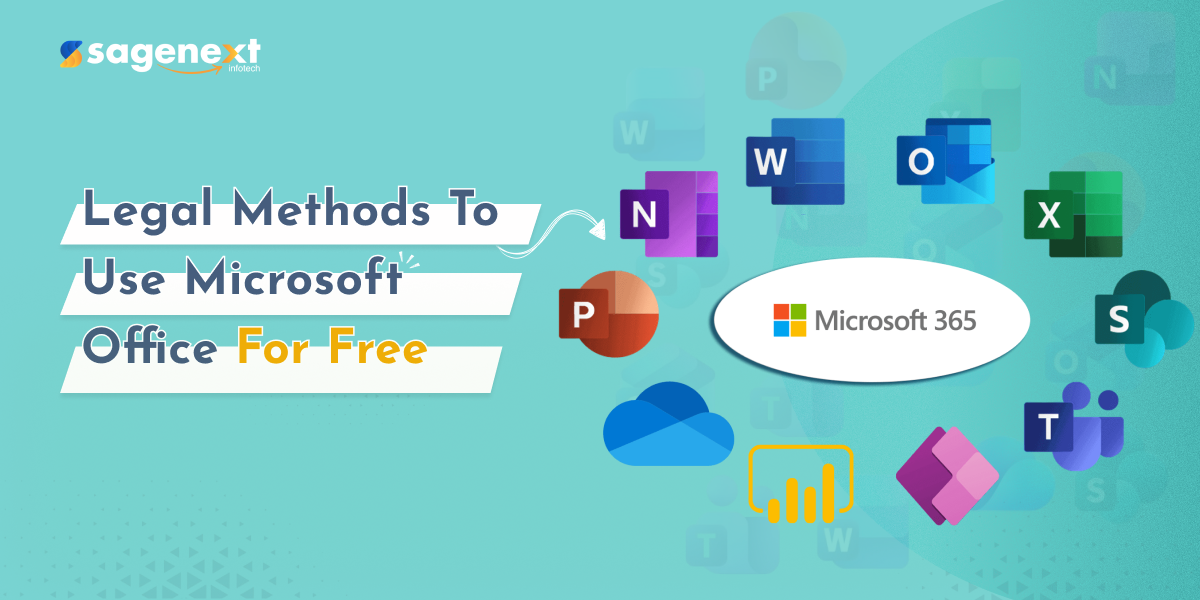
Microsoft offers free browser-based access to Word, Excel, PowerPoint, OneDrive, Outlook, and Clipchamp through Microsoft 365 for the web. All you need is a Microsoft account—Outlook, Hotmail, or Live all qualify—and any modern browser.
Steps:
- Go to Office.com.
- Click Sign in and use your Microsoft account credentials. No account? Create one free in about 90 seconds.
- You’ll land on a dashboard showing Word, Excel, PowerPoint, and the rest. Click any app and start working.
- Files save automatically to OneDrive. Share a link instead of emailing an attachment.
This works identically on Windows, Mac, and Chromebook—same URL, same account. For CPAs doing light document edits, client correspondence, or quick spreadsheet reviews away from the office, the web apps handle it cleanly.
What you give up: Complex Excel macros, advanced pivot-table features, and some formatting controls that exist only in the desktop version. Microsoft is explicit that the web apps have limitations compared with downloadable Office products. For full-featured tax workpapers or heavily formatted client reports, you’ll want the desktop apps. But for the majority of day-to-day tasks, the web version holds up.
Route 2: Microsoft 365 Education (Free Full Version for .edu Accounts)
If you or anyone on your team is enrolled at an eligible college or university, or teaches at one, Microsoft 365 Education provides free access—including, in many cases, the full desktop apps. This isn’t a watered-down version; eligible institutions get the same apps distributed to paid subscribers.
Steps:
- Visit the Microsoft Education page.
- Enter your .edu email address and click Get Started.
- Microsoft verifies institutional eligibility automatically. If your school participates, you’ll be prompted to set up or link your account.
- Once verified, check whether your institution grants desktop app downloads—many do.
This is the right move for any staff member who’s a part-time student, or for firms that hire interns from participating universities. The access is tied to the school relationship, so it ends when enrollment or employment ends—plan accordingly.
Route 3: The One-Month Free Trial (Best Bridge Option)
If you need full desktop Office features and don’t qualify for education access, Microsoft offers a one-month free trial of Microsoft 365. You’ll need a credit card to start it, but no charge hits until the trial ends. Set a calendar reminder for day 25 and cancel if you don’t want to continue.
For a CPA who needs full Excel functionality for one busy-season project—or wants to evaluate whether the subscription is worth it before committing—the trial is a legitimate, zero-risk option.
One rule: Don’t use the trial on multiple accounts to keep cycling free access. Microsoft’s terms prohibit this and it creates account management headaches that aren’t worth it for a professional practice.
What to Avoid
Cracked Office installers, KMS activators, and unofficial ISO downloads are everywhere and they are all a bad idea for a licensed accounting professional. Beyond the obvious malware risk, using unlicensed software in a practice that handles client financial data is a real exposure—both to data breach and to professional liability. The legitimate free options above cover most use cases without any of that risk.
How Sagenext Helps
For CPA firms already running QuickBooks, Drake, Lacerte, ProSeries, or UltraTax, the bigger productivity issue usually isn’t Office—it’s having tax and accounting software accessible to every team member, from any device, without IT overhead.
Sagenext hosts those applications on fully managed cloud infrastructure. Provisioning, backups, security patches, and multi-user access are handled for the firm. Your staff connects via a remote desktop session from wherever they are—same desktop apps, same file access, no VPN drama. A free trial is available with no credit card required, which is the same low-friction approach Microsoft takes with its own trial.
If the question of “how do I get my whole team onto the right software without buying and maintaining hardware” comes up alongside the Office question, that’s the problem Sagenext is built to solve.
Key Takeaways
- Microsoft 365 for the web gives free access to Word, Excel, PowerPoint, OneDrive, and Outlook via any browser—no install, no subscription.
- The web apps have real limitations versus desktop Office; complex macros and advanced formatting require the paid desktop version.
- Students and educators at eligible institutions can access Microsoft 365 Education free, often including full desktop apps.
- A one-month Microsoft 365 free trial provides full desktop features for users who need them short-term.
- Never use cracked activators or unofficial installers—the professional and security risk isn’t worth it for a CPA practice.
- For firms running tax and accounting software, cloud hosting solves the broader access problem that free Office options don’t address. AI Accountant Vs Cloud Hosted Software Cpas Guide
Frequently Asked Questions
Can I use Microsoft Word for free without downloading anything?
Yes. Microsoft 365 for the web includes Word, Excel, and PowerPoint accessible through any browser after signing in with a free Microsoft account. No download or installation is required. The web versions cover most common tasks—drafting documents, editing spreadsheets, building presentations—though some advanced desktop features are not available in the browser versions.
Is Microsoft 365 Education really free, or is there a catch?
It’s genuinely free for eligible students and educators. The catch is eligibility: your institution must have enrolled in Microsoft’s education program. Access is also tied to your school status—once you’re no longer enrolled or employed by the institution, access ends. Confirm with your school’s IT department whether desktop app downloads are included, since that varies by institution.
How is the free trial different from the free web apps?
The free web apps are permanently available through your Microsoft account with no time limit. The one-month free trial gives you the full desktop-installed version of Microsoft 365 for 30 days. After the trial ends, you’re billed for a subscription unless you cancel. The trial is useful when you need features the web apps don’t offer, or want to evaluate the full product before committing.
Does the free Microsoft 365 web version work on a Mac?
Yes. Because it runs in a browser, it works on any device with a modern browser—Windows, Mac, Chromebook, iPad, or Android tablet. Sign in to Office.com with your Microsoft account and the same apps are available regardless of operating system.
What happens to my files if I only use the free web version?
Files created in Microsoft 365 for the web save automatically to OneDrive, Microsoft’s cloud storage. Free Microsoft accounts include OneDrive storage. You can download files to your local device at any time, and you can share them via link. Files remain accessible as long as your Microsoft account is active.